4K WiFi Mini LED Projector: Indoor & Outdoor Setup Tips
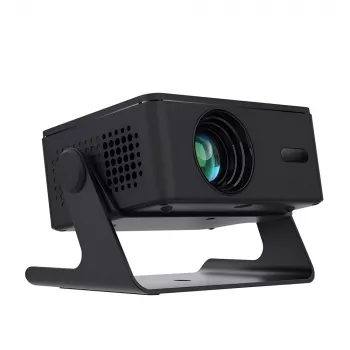
Portable Big-Screen Fun: What a 4K-Capable WiFi Mini LED Projector Does Best
A compact projector can turn a blank wall, pull-down screen, or backyard sheet setup into a big-screen experience without dedicating a room to a TV. A portable 4K-capable WiFi mini LED projector is built for flexibility: quick setup, easy transport, and simple connections for streaming, gaming, and movie nights. The trick is knowing what “4K support” really means, how to place the projector to keep the image sharp, and when to switch from wireless casting to a reliable cable.
What this projector is best for
- Casual home theater nights in bedrooms, apartments, and dorms where a large TV is impractical.
- Outdoor movie nights when paired with a portable screen and a simple power plan.
- Travel and pop-up viewing (camping, RV, visits) thanks to the small footprint and quick setup.
- Gaming and sports watch parties when input lag and sound are managed with the right connections.
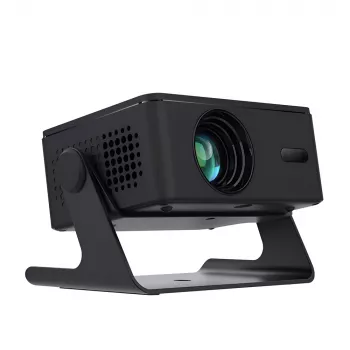
If you’re shopping for a compact option that’s designed for both indoor and outdoor use, see the Portable 4K WiFi Mini LED Projector for Home Theater & Outdoor Movies.
Key features to look for in daily use
- 4K support: Many mini projectors accept a 4K signal but display at a lower native resolution. The upside is broad compatibility with modern streaming devices and consoles, plus cleaner scaling from high-quality sources.
- LED light source: LED projectors typically run cooler, last longer than traditional lamps, and require less maintenance over time.
- WiFi connectivity: Convenient for casting and streaming, but performance depends on router distance, wall interference, and neighborhood congestion.
- Portability essentials: Look for a manageable weight, responsive remote, compact power supply, and easy access to HDMI/USB ports.
- Audio options: Built-in speakers are handy, but Bluetooth or audio-out makes it easier to upgrade sound.
For deeper specs education (brightness, throw, contrast, and more), ProjectorCentral has a strong learning library at https://www.projectorcentral.com/. For connection basics and cable standards, see https://www.hdmi.org/.
Getting the best picture indoors
- Control ambient light first: Dim lamps, close blinds, and avoid overhead lights aimed at the screen area. Even a “bright” mini projector looks dramatically better with less stray light.
- Choose the right surface: A matte white screen improves brightness and uniformity; a smooth, light-colored wall is a workable alternative for casual viewing.
- Placement basics: Center the lens horizontally with the screen when possible. Heavy keystone correction can soften fine detail and reduce readable text clarity.
- Focus and zoom: Focus after the projector reaches stable operating brightness, then re-check if the unit is bumped or rotated even slightly.
- Color and mode tweaks: Start with a cinema/movie mode for films, then switch to a brighter mode for sports or rooms that can’t be fully darkened.
Outdoor movie setup that avoids common problems
- Timing matters: Start at dusk for better contrast; full darkness makes colors look richer and blacks appear deeper.
- Screen choice: A portable, tensioned screen reduces wrinkles. If using a sheet, pull it tight and avoid patterned fabric that can show through bright scenes.
- Wind and stability: Use a steady table or tripod platform, and secure cables so no one trips or accidentally yanks the projector out of alignment.
- Power plan: Confirm the projector’s power requirement, and use an outdoor-rated extension cord or an appropriate portable power station.
- Bug and moisture control: Keep the projector slightly behind the viewing area (fewer insects buzzing near the lens) and avoid placing it on damp grass or dewy surfaces.
WiFi, casting, and streaming without frustration
For background on WiFi standards and compatibility, the Wi‑Fi Alliance is a helpful reference: https://www.wi-fi.org/.
Sound: simple upgrades that make a big difference
Recommended screen sizes and viewing distances
| Use case | Suggested image size | Lighting conditions | Tips for best results |
|---|---|---|---|
| Bedroom or small living room | 60–90 inches | Low to moderate ambient light | Use a matte white surface and reduce keystone correction |
| Dedicated movie night indoors | 90–120 inches | Dim or dark room | Center the projector and fine-tune focus after warm-up |
| Backyard movie night | 100–150 inches | After dusk / dark | Use a tensioned screen, plan stable power, add an external speaker |
| Sports watch party | 80–120 inches | Moderate light possible | Choose a brighter mode and keep the image slightly smaller for punch |
Care, transport, and long-term reliability
When a wired connection is the better choice
In-stock picks to round out your setup
- Portable 4K WiFi Mini LED Projector for Home Theater & Outdoor Movies — a compact, travel-friendly option for indoor viewing and backyard nights.
- Study Skills Mastery Guide | Digital Study Guide, Learning Strategies eBook, Focus Tips, Study Methods, Memory Techniques, Study Checklist PDF — a useful add-on for dorm and apartment living where the same space does double duty for entertainment and studying.
FAQ
Does a portable 4K projector always display true 4K resolution?
No. Many compact models accept a 4K input but display at a lower native resolution, which can still look very clean when the source is high quality. Perceived sharpness also depends on focus accuracy, screen smoothness, and how far viewers sit from the image.
Can it be used outdoors without WiFi?
Yes. Use HDMI from a laptop, a phone/tablet adapter, a Blu‑ray player, or a streaming stick with downloaded content, and consider USB playback if the projector supports it. For best results outdoors, plan for power and start after dusk.
How can lip-sync delay be reduced when using Bluetooth speakers?
Use a wired audio connection when possible for the lowest delay. If you must use Bluetooth, enable any low-latency mode supported by the projector/speaker, keep the speaker close, and avoid stacking multiple wireless steps (like casting plus Bluetooth at the same time).











Leave a comment