Mini Portable Projector: Auto Focus, Dual Wi‑Fi 6 & HiFi
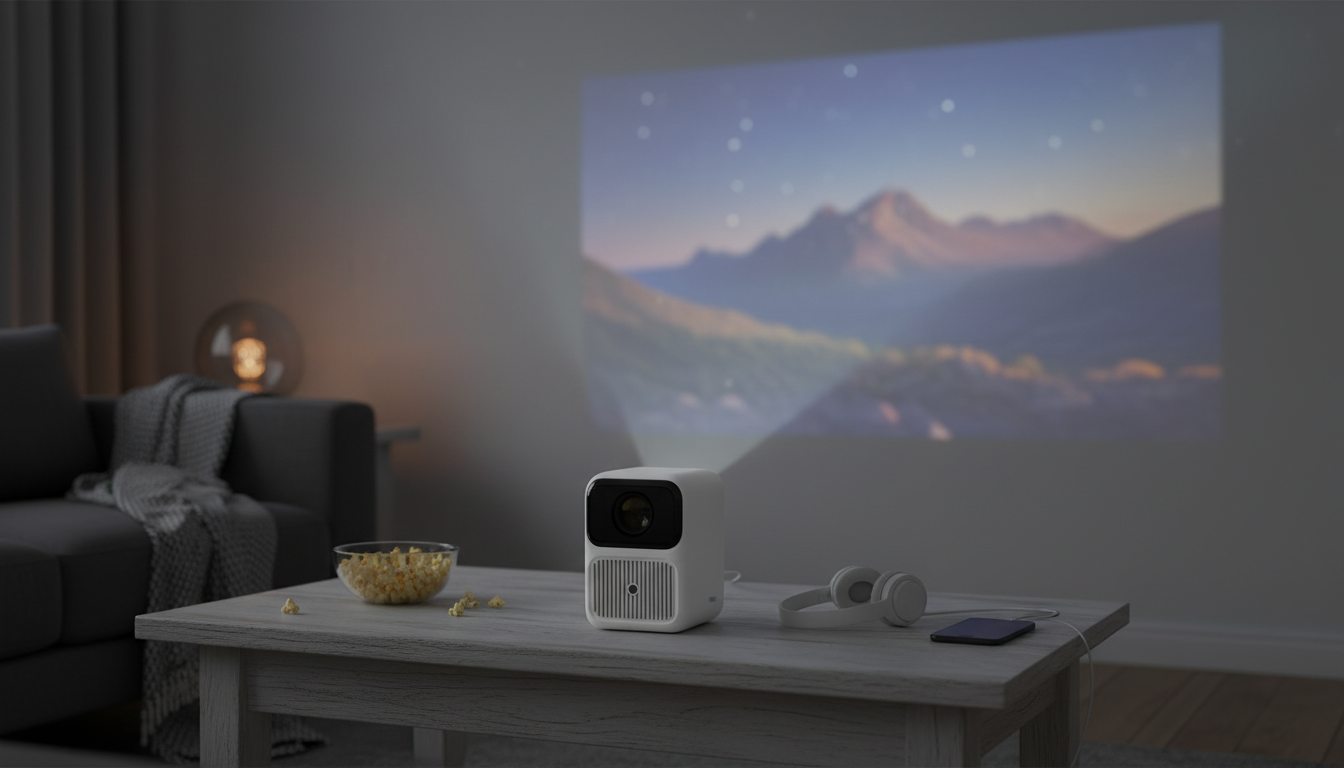
Mini Portable Projector Comfort: Fast Focus, Smooth Streaming, Simple Sound
A portable projector can be one of the easiest ways to turn a blank wall, screen, or even a ceiling into a bigger viewing space—at home, outdoors, or on the go. The Mini Portable Projector with Auto Focus, Dual Wi‑Fi 6 & HiFi Speakers is built for real life: it’s designed to settle into focus quickly after you move it, keep wireless streaming steadier on busy networks, and deliver room-filling audio without requiring extra gear for every casual watch session.
What makes this projector different day to day
Mini projectors are often judged by how they behave in the small moments: setting up after dinner, shifting it away from a lamp, or moving it from the bedroom to the backyard. This model’s core upgrades aim to reduce friction during those everyday changes.
- Auto focus: Helps keep the image sharp after repositioning, distance changes, or a quick angle adjustment.
- Dual Wi‑Fi 6: Designed for faster, more stable wireless connections on compatible routers and devices, especially in shared or congested environments.
- Built-in HiFi speakers: Cuts down on the “extra steps” for casual movie nights and quick viewing without immediately reaching for a soundbar.
- Mini form factor: Easier to place on a nightstand, coffee table, patio setup, RV shelf, or small office surface.
Quick setup flow for sharp picture and balanced sound
A smoother experience usually comes down to placement and patience—letting auto focus and streaming stabilize before making big changes. Use this quick flow to get a clean image without fighting distortion or weak sound.
- Placement: Put the projector on a stable surface and aim the lens toward the center of the wall or screen to reduce keystone-style distortion.
- Distance: Adjust how far the projector is from the screen until the image fits your space; then fine-tune by sliding it rather than tilting it sharply.
- Auto focus: After moving or re-aiming, give it a moment to settle; repeat after major distance changes.
- Audio: Start at mid-volume and raise gradually; if voices sound thin or harsh, drop volume slightly and move the unit closer to viewers.
- Lighting: Lower ambient light for better contrast; outdoors, plan around dusk or darker conditions.
Room-by-room setup checklist
| Space | Best placement | Lighting tip | Audio tip |
|---|---|---|---|
| Living room | Coffee table or low stand centered on screen | Dim overhead lighting; avoid lamps facing the screen | Place projector 3–6 ft from seating to keep sound clear |
| Bedroom | Nightstand/dresser aimed at wall/ceiling | Blackout curtains improve contrast | Lower volume; use a soft surface under the unit to reduce vibration |
| Backyard | Small table protected from dew | Start after sunset; avoid nearby floodlights | Bring a small external speaker if guests are spread out |
| Travel/RV | Stable shelf or compact tripod/table | Use shades/curtains; avoid reflective walls | Keep unit close to viewers; reduce echo with soft furnishings |
Auto focus and image stability: what to expect
Dual Wi‑Fi 6 for wireless streaming and casting
Wireless viewing is convenient, but not every room or network makes it easy. Dual-band support helps when one band is crowded (apartments, dorms, shared homes) by shifting to a cleaner channel. Wi‑Fi 6 is also built for better efficiency on compatible routers—particularly when multiple devices are connected at once. For a quick technical overview of how Wi‑Fi 6 improves performance in busy environments, see the Wi‑Fi Alliance’s Wi‑Fi 6 overview.
Real-world streaming still depends on signal strength and router placement—closer is usually better. If wireless playback is unreliable, a direct wired connection from the source device (where available) is typically the most consistent option. For reference on HDMI connections and capabilities, visit the HDMI Licensing Administrator.
HiFi speakers: when built-in audio is enough (and when it isn’t)
Common use cases that fit a mini portable projector
If you’re building a “pack-and-go” setup for studying or travel, pairing your projector time with a simple skills refresher can make screen time more productive. The Study Skills Mastery Guide | Digital Study Guide is a lightweight add-on for planning, focus, and structured learning routines. For winding down after a late movie or travel day, Calm Your Mind: Guided Meditation Series can be a simple audio companion without adding clutter to your bag.
Care, placement, and troubleshooting basics
For general viewing considerations—like choosing a screen surface and understanding room conditions—CEDIA offers helpful home theater basics at cedia.org.
Is this the right fit
FAQ
How well does auto focus work if the projector is moved often?
Auto focus is especially helpful after repositioning the projector or changing distance, since it can quickly bring the image back into clarity. For best edge-to-edge sharpness, keep the lens clean and re-center the projector rather than using extreme angles, which can make edges look soft.
What does dual Wi‑Fi 6 change for streaming?
Dual Wi‑Fi gives you flexibility to use a less crowded band, while Wi‑Fi 6 can improve efficiency on compatible routers when many devices share the network. Results still depend on router distance and interference, so moving closer or using a wired connection (when available) is the most reliable fallback.
Are built-in HiFi speakers enough for movie night?
Built-in speakers are usually enough for casual movie nights in small-to-medium rooms and quick setups. For outdoor viewing, larger groups, or bass-heavy content, external speakers can provide more volume and fuller low-end without pushing the projector to distortion.









Leave a comment