Compact 3-Axis GRBL CNC Router Kit: Setup & Tips
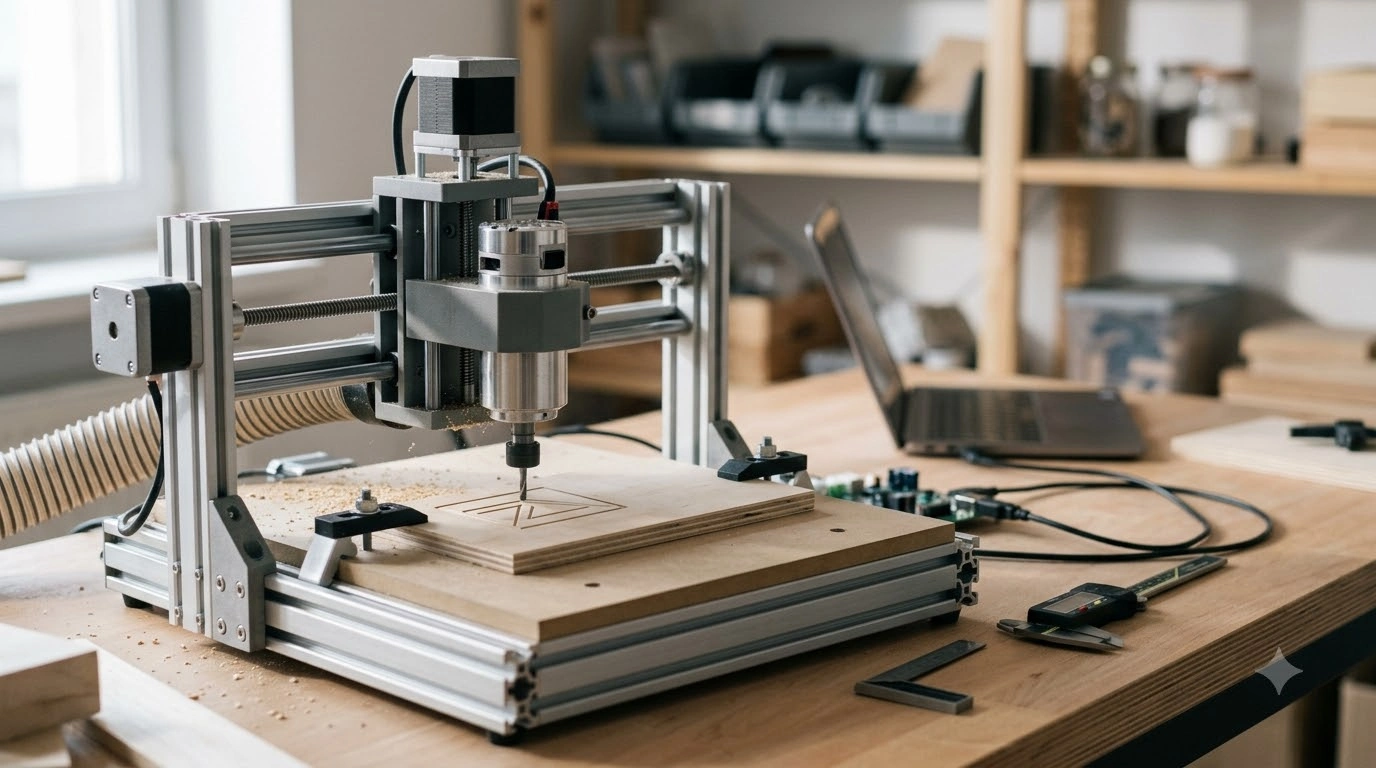
Compact 3-Axis CNC Routing with GRBL Control
A 3-axis CNC router machine kit built around GRBL control is a practical way to get into CNC routing and engraving without committing to an industrial footprint or budget. Once the machine is assembled, squared, and calibrated, it can run familiar G-code workflows and produce repeatable cuts for signs, panels, templates, and small prototype parts—especially when paired with conservative cutting parameters and solid workholding.
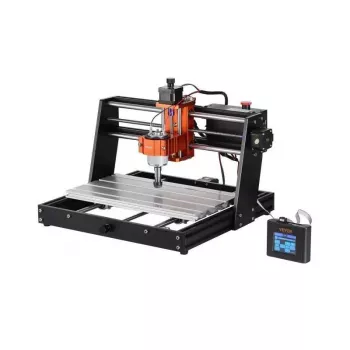
If you’re shopping for a ready-to-build option, the 3-Axis CNC Router Machine Kit with GRBL Control is an in-stock kit designed around the GRBL ecosystem many makers already know.
What this kit is best for
- Entry-level CNC routing and engraving using GRBL-based motion control
- Prototyping parts, signs, panels, small fixtures, and jigs with repeatable toolpaths
- Building core skills: CAD/CAM to G-code, setting work zero, understanding feeds/speeds, and dialing in workholding
- Light-duty work where accuracy and finish come primarily from careful setup, squaring, and conservative depth-of-cut
This style of machine shines when the goal is learning and iteration. With the right expectations—slower cuts, shallow passes, and attention to rigidity—you can get consistent results without chasing high-speed production.
Key components and how GRBL control fits in
- 3-axis motion system: Coordinated X, Y, and Z movement for typical “2.5D” jobs like pocketing, profiling, V-carving, and simple relief carving.
- GRBL controller role: GRBL is firmware commonly run on microcontroller-based CNC controllers. It interprets G-code and drives stepper motion, usually over a USB connection to a sender application.
- Typical workflow: design (CAD) → toolpaths (CAM) → export G-code → send to GRBL → set work zero → run the job.
- Practical expectations: For hobby-class routers, the biggest performance gains usually come from rigid assembly, correct belt/lead tension, proper tramming, and conservative cutting parameters—not from pushing top speed.
For reference material and supported commands, GRBL’s maintained documentation is available on GitHub.
Specs to confirm before the first job
Before you run a real project, a few quick checks prevent most early frustrations—like clipped toolpaths, inconsistent Z zero, or unexpected stalls.
Pre-job checklist (quick verification)
| Item | What to check | Why it matters |
|---|---|---|
| Working area | Measure usable X/Y travel and keep-out zones | Prevents toolpaths from exceeding travel and losing steps |
| Z clearance | Measure max distance from spoilboard to collet/nose | Avoids crashes and enables thicker stock |
| Spindle mount | Confirm clamp size and tool collet system | Ensures the chosen spindle/router fits securely |
| Homing/limits | Confirm switches and GRBL settings | Improves repeatability and reduces boundary collisions |
| Workholding | Plan clamps/tape/fixture clearance | Prevents tool from hitting clamps and reduces vibration |
Assembly, squaring, and calibration essentials
- Square the frame: Measure diagonals and adjust until both match. A square frame improves geometry and helps keep circles round and pockets true.
- Tension and alignment: Belts or leadscrews should move smoothly across full travel with no binding. Tight enough to avoid backlash, not so tight that steppers struggle.
- Tram the spindle: Align the spindle perpendicular to the spoilboard. This directly affects surfacing quality and pocket flatness.
- Steps-per-mm calibration: Verify commanded vs. actual travel (ruler, calipers, or an indicator), then update GRBL settings so dimensions come out correctly.
- Surface the spoilboard: After tramming, run a surfacing pass to create a reliable reference plane for Z zero.
Software and setup: sending jobs to GRBL
For broader foundational learning, MIT OpenCourseWare has manufacturing and design resources worth browsing at ocw.mit.edu.
Materials, tooling, and conservative feeds/speeds
Safety, maintenance, and reliability habits
- Eye and respiratory protection: Dust and chips are persistent hazards, especially MDF and plastics. OSHA’s woodworking safety reference is a helpful baseline: OSHA Woodworking eTool.
- Cable management: Secure wiring so it can’t snag during rapid moves or catch on the gantry.
- Routine re-tightening: After the first hours of running, re-check fasteners—vibration can loosen hardware.
- Clean and lubricate: Keep rails and leads clean; use appropriate lubricants to reduce wear and inconsistent motion.
- Know your stop behavior: Understand how pause/stop works in your sender and what happens to position after a power cut.
Common issues and quick troubleshooting
Recommended in-stock picks
- 3-Axis CNC Router Machine Kit with GRBL Control — a compact entry point for GRBL-based CNC routing and engraving.
- Study Skills Mastery Guide | Digital Study Guide, Learning Strategies eBook, Focus Tips, Study Methods, Memory Techniques, Study Checklist PDF — helpful for building a structured learning plan while developing CAD/CAM and machine setup habits.
- Calm Your Mind: Guided Meditation Series | Audio Course | Anxiety Relief Meditation — useful for focus during longer setup, calibration, and careful job runs.
FAQ
What does GRBL control mean on a CNC router kit?
GRBL is firmware commonly used on microcontroller-based CNC controllers. It receives G-code from a sender app (typically over USB) and converts it into stepper motor motion for X, Y, and Z, with configurable settings for steps/mm, speed, acceleration, and homing.
Can a 3-axis GRBL CNC router cut aluminum?
It can be possible on some hobby-class machines, but results depend heavily on rigidity, excellent workholding, proper tooling, and very conservative parameters. Shallow passes, consistent chip evacuation, and tuned acceleration help prevent lost steps and poor finish.
Do limit switches and homing matter for beginners?
They help a lot by enabling repeatable machine coordinates, safer boundary control, and more consistent setup from job to job. Many cuts can be run without homing, but switches (and correct GRBL configuration) make the overall experience more predictable.














Leave a comment