Universal Smartphone Lens Kit: Wide, Macro & Fisheye Tips
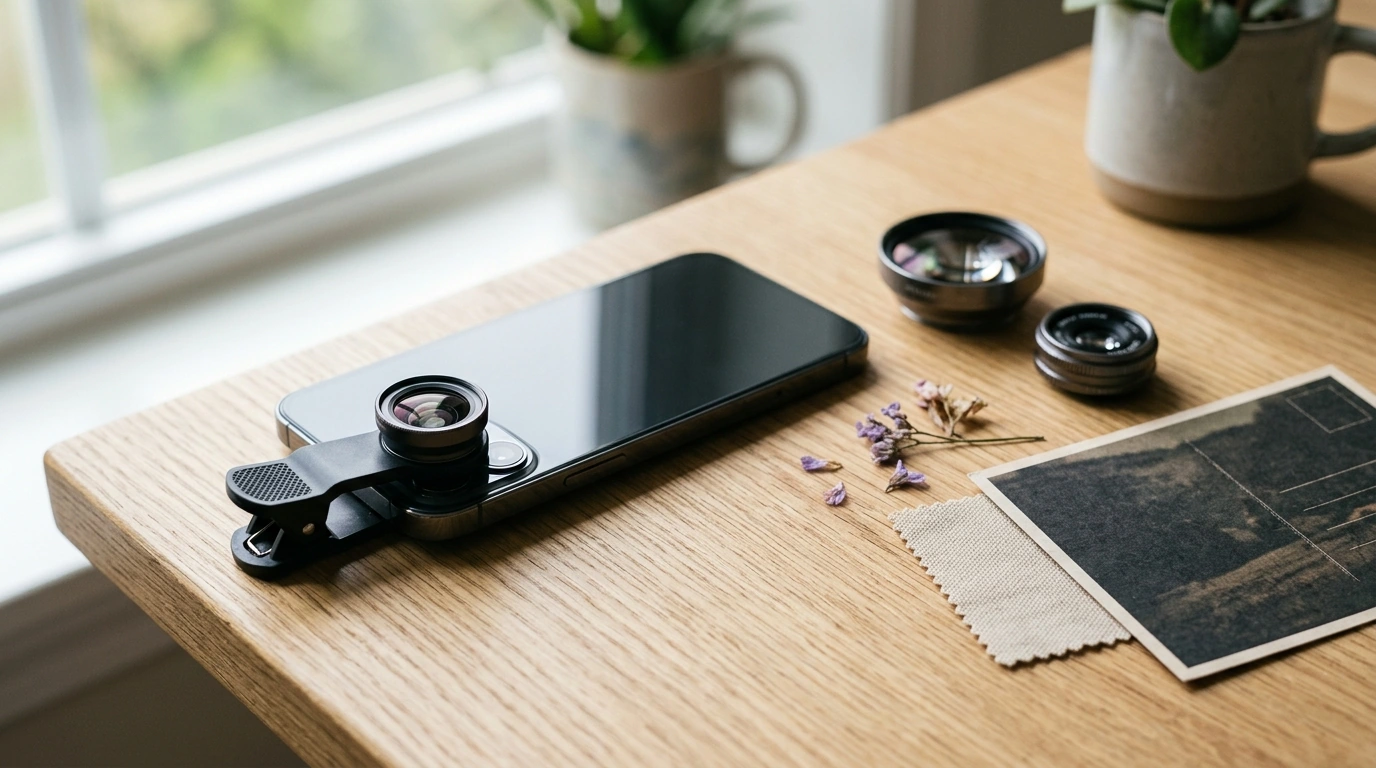
Universal Smartphone Camera Lens Kit: Wider Views, Closer Details, Better Mobile Photos
A universal smartphone camera lens kit expands what a phone camera can capture—whether that means fitting more scenery into the frame, getting dramatically closer to small subjects, or creating stylized perspectives. With the right lens and a few quick setup habits, your phone can handle travel scenes, food photos, product details, and everyday moments with more variety and impact.
What a smartphone lens kit adds to your phone camera
Clip-on lenses change how your phone “sees” the world without needing a new device. The most noticeable upgrade is field of view: a wide-angle lens can fit more of a room, skyline, or group into a single shot, while some kits also include tele-style options that tighten framing and change perspective.
Macro lenses are the other big leap. Most phones can’t focus extremely close, so fine textures (stitching, engraving, plant veins, makeup details) often look soft. A macro lens shifts the focusing range so small subjects snap into crisp detail—at the cost of a very shallow depth of field, which is part of the look.
For creative effects, fisheye lenses intentionally bend straight lines into curves for an energetic, stylized perspective. And because your phone still does much of its computational processing, features like HDR or Night Mode may continue to work while a lens is attached (results depend on your phone model and camera app). For more on built-in camera features, see Apple’s iPhone camera guide and Google’s Pixel Camera help: Apple Support and Google Help.
Lens types and when to use them
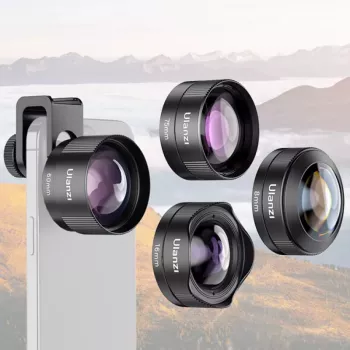
Most universal kits focus on three lens types—wide-angle, macro, and fisheye—sometimes with extras like filters, small tripod grips, cleaning cloths, or a carry case.
Wide-angle
Great for landscapes, architecture, interiors, real estate-style room shots, group photos, and travel vlogs when you can’t step back. Expect a more expansive view, with mild stretching near the edges.
Macro
Ideal for close-ups of coins, fabric, jewelry, watch faces, electronics, flowers, and product textures. Macro rewards steady support and plenty of light; even tiny hand movement can blur details.
Fisheye
Perfect for action clips, skate/sports angles, creative portraits, and playful social content. Edge distortion is the point—compose with the subject near center if you want it less warped.
| Lens type | Best for | Typical look | Quick tip |
|---|---|---|---|
| Wide-angle | Travel scenes, interiors, group photos | More scene in frame; edges may stretch slightly | Keep the phone level to reduce warped vertical lines |
| Macro | Textures, small products, nature details | Extreme close focus; very shallow depth of field | Use bright light and stabilize to avoid blur |
| Fisheye | Creative shots, action, stylized portraits | Strong curvature and dramatic distortion | Center the subject to keep it less distorted |
Fit and compatibility: making “universal” work
“Universal” usually means clip-on. A strong clip can work across many phone shapes, but a few details make or break results.
- Mounting method: Confirm the clip opens wide enough for thicker phones and bulky cases.
- Camera placement: If your phone has multiple rear cameras, alignment must be precise. If the add-on lens sits off-center, you may see vignetting (dark corners) or smeared edges.
- Case considerations: Raised-lip cases can prevent the lens from sitting flush. Removing the case often improves sharpness and reduces corner darkening.
- Front vs. rear camera: Many clips fit both, but the rear camera typically delivers better detail and dynamic range.
- Lens coverage: Larger lens elements tend to reduce vignetting on bigger sensors and ultra-wide phone cameras.
Image quality factors that matter most
Add-on lenses vary widely. A few traits have the biggest impact on the photos you’ll actually keep.
- Optical clarity: Glass elements generally outperform plastic in sharpness and color, especially toward the edges.
- Coatings and flare control: Bright light can cause glare. If you’re shooting into the sun, use your hand as a small shade just outside the frame.
- Edge sharpness and distortion: Wide and fisheye lenses often soften corners. Place important details closer to the center for cleaner results.
- Vignetting: If corners go dark, a slight zoom (about 1.1x–1.3x) can crop out the dark edges while keeping most of the wider view.
- Color shifts: Some lenses warm or cool the image. A quick white balance tweak or light edit usually restores natural color.
Setup and shooting tips for consistently sharp results
If you want a deeper technique overview for close-up shooting, Adobe’s macro photography guide is a helpful reference: Adobe: How to take macro photos.
Practical ideas: where a lens kit pays off
Recommended items available now
- Universal Smartphone Camera Lens Kit — a clip-on kit designed to expand framing options and help capture close-up details with your current phone.
- Study Skills Mastery Guide | Digital Study Guide — useful for building a consistent practice routine (shooting checklists, review habits, and learning structure can translate well to improving photo skills over time).
Care, storage, and long-term use
FAQ
Will a universal lens kit work with phones that have multiple rear cameras?
Yes, but alignment matters. The clip must sit directly over the camera being used; switching cameras may require repositioning. Test for vignetting and edge blur, and remove thick cases if the lens can’t sit flush.
Why are my macro photos blurry even when I tap to focus?
Macro has a very short focusing distance and extremely shallow depth of field. Use brighter light, stabilize the phone, and gently move the phone forward/back until the details snap into focus.
How can vignetting (dark corners) be reduced with add-on lenses?
Re-center the lens carefully and make sure it’s fully flush against the phone. Removing bulky cases often helps, and a slight zoom-in can crop out dark corners while keeping most of the wide view.














Leave a comment