Wireless Gasket-Mount RGB Keyboard: Smooth, Fast & Comfy
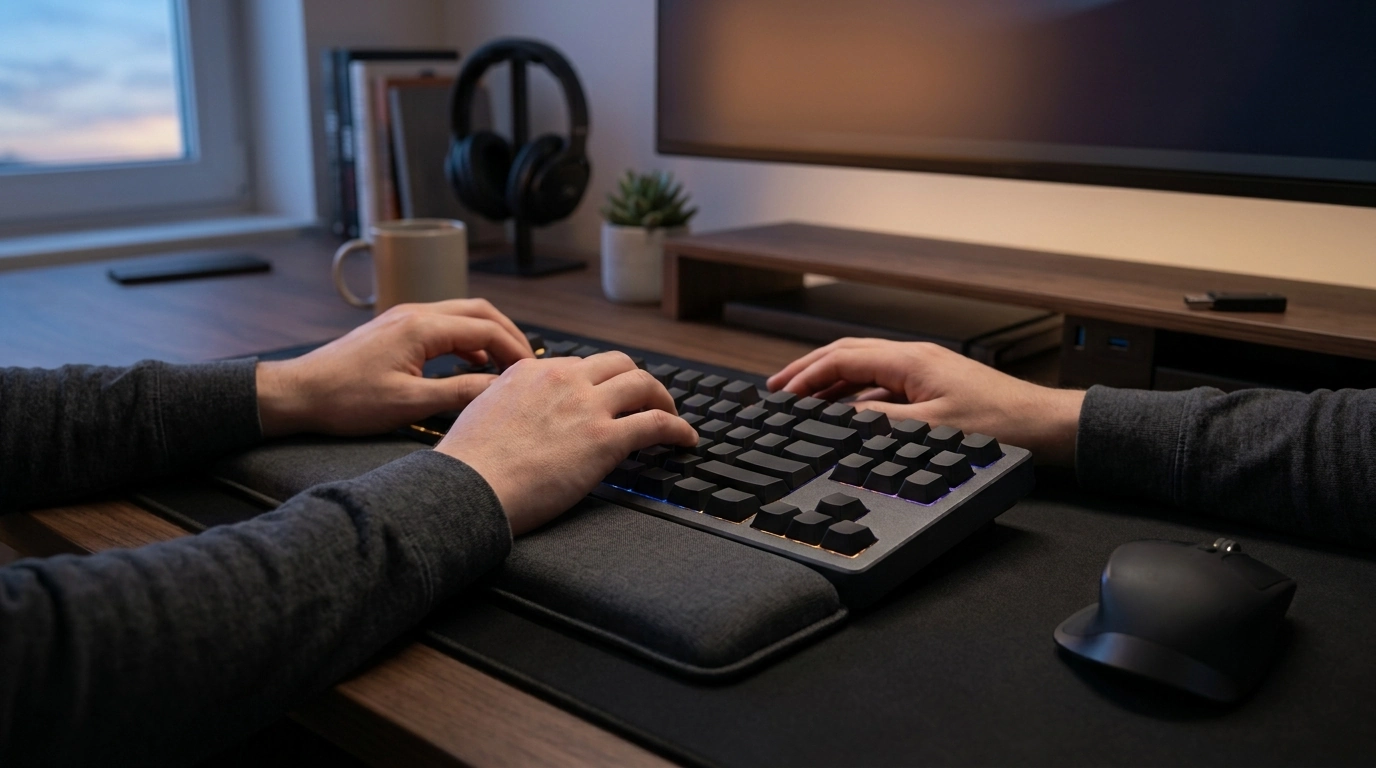
Wireless Mechanical Gaming Keyboard with RGB, Gasket Mount & Wrist Rest: Comfort-First Performance
A wireless mechanical keyboard can feel just as responsive as a wired setup while clearing cable clutter from your desk. Add a gasket-mounted build for a softer, less harsh bottom-out, plus a wrist rest that supports long play sessions, and you get a setup designed for comfort without giving up speed. Below is a practical breakdown of how wireless modes affect gaming, what gasket mounting really changes, and how to dial in RGB and ergonomics for daily play and work.
What Makes This Keyboard Different
Not every “gaming” keyboard is built around comfort. The standout combination here is wireless flexibility, a cushioned gasket-mounted feel, and a wrist rest that helps you stay steady during longer sessions.
- Wireless connectivity keeps the desk clean and makes it easy to move between a desktop, a couch setup, or travel.
- Mechanical switches provide consistent actuation and a faster reset than most membrane boards, which is helpful for repeated inputs.
- Gasket mount construction is designed to soften the impact between plate and case, reducing harsh bottom-out and improving overall typing feel.
- RGB lighting improves key visibility in dim rooms and makes it easy to recognize different profiles at a glance.
- Included wrist rest helps reduce wrist extension and makes extended sessions feel less fatiguing.
If you’re shopping for a single keyboard that can do double duty—gaming at night, work during the day—consider starting with the Wireless Mechanical Gaming Keyboard with RGB, Gasket Mount & Wrist Rest.
Wireless Modes and Latency: What to Expect in Games
Wireless performance depends on the connection mode and your environment. The goal is simple: choose the mode that matches how you play, then reduce interference and keep the receiver positioned well.
- Pick the right mode for the moment: use 2.4 GHz for fast-paced play, Bluetooth for multi-device convenience, and wired for charging or maximum consistency.
- For competitive titles, reduce interference: keep a short distance to the receiver, maintain clear line of sight, and avoid crowded hubs when possible.
- Keep firmware/software updated (when provided) for stability improvements and smoother lighting controls.
- Extend battery life by lowering RGB brightness, using static lighting, and enabling sleep timers.
Connection Options Compared
| Mode | Best For | Typical Tradeoffs | Setup Tip |
|---|---|---|---|
| 2.4 GHz (via receiver) | Fast-paced gaming | Needs a USB port; can be affected by crowded wireless environments | Use a front USB port or short extender to place the receiver closer |
| Bluetooth | Multi-device work and casual play | Usually higher latency than 2.4 GHz; pairing steps | Pair to laptop/tablet and keep 2.4 GHz for desktop |
| Wired (USB) | Zero battery concerns and consistent performance | Cable on desk | Use when charging or for tournaments/long sessions |
For deeper background on standards (not brand-specific marketing), the official Bluetooth Core Specification and USB-IF documentation are useful references when comparing device capabilities.
Gasket Mount Feel: Softer Keystrokes, Cleaner Sound
Gasket mounting typically means the plate is “suspended” with flexible materials between the plate and case. Instead of a rigid, hard contact point, the board is designed to absorb more impact energy and reduce resonance.
- Less harsh bottom-out: the typing feel often becomes less rigid, especially if you tend to press keys all the way down.
- Reduced case ping: by decoupling the plate from the case, many boards sound less metallic and less hollow.
- A deeper sound profile (often): the exact result depends on the plate material, internal dampening, and case shape.
- Switches and keycaps still matter: gasket mount complements quality parts, but it can’t fully “fix” scratchy switches or thin, noisy caps.
In day-to-day use, the biggest win is comfort: a softer impact can feel easier on your hands over hours of typing, queueing, and repeated in-game actions.
Ergonomics: Using the Wrist Rest the Right Way
A wrist rest can be a comfort upgrade, but it works best when used with good posture and the right placement. Think of it as a palm rest between bursts of movement—not something to push your wrists into while actively typing.
- Rest palms, not wrists: keep pressure off the sensitive wrist area while your fingers are moving.
- Neutral posture helps most: forearms roughly parallel to the desk, shoulders relaxed, elbows around 90–110 degrees.
- Experiment with keyboard angle: many users find flatter angles reduce wrist extension and feel better over long sessions.
- Match your desk and chair: small changes to chair height or armrest position can prevent numbness and pressure points.
If you regularly switch between gaming and focused work, building a short reset routine can help too—brief breaks, hand stretches, and a minute away from the keys.
RGB Lighting: Practical Setup for Play and Productivity
Everyday Features to Check Before Buying
To round out a comfort-first setup beyond hardware, consider pairing your desk routine with quick focus tools like the Study Skills Mastery Guide for structured work blocks, or short recovery breaks with Calm Your Mind: Guided Meditation Series.
Setup Checklist for a Clean, Stable Wireless Desk
FAQ
Is wireless good enough for competitive gaming?
For most players, a solid 2.4 GHz wireless mode is the preferred option because it typically delivers lower latency than Bluetooth. Receiver placement and interference management matter, and wired mode remains the most consistent choice for tournaments or charging.
What does a gasket mount change compared with a standard mechanical keyboard?
A gasket mount uses flexible materials to isolate the plate from the case, which usually softens bottom-out and reduces case resonance. Switches, keycaps, and stabilizers still play a big role in the final feel and sound.
Does RGB lighting drain the battery quickly?
It can, especially at high brightness with animated effects. Lower brightness, use static lighting, enable sleep timers, and switch to wired mode while charging to keep performance consistent.













Leave a comment