Hi-Res Dynamic Driver Earphones: Fit, Tuning & Pairing
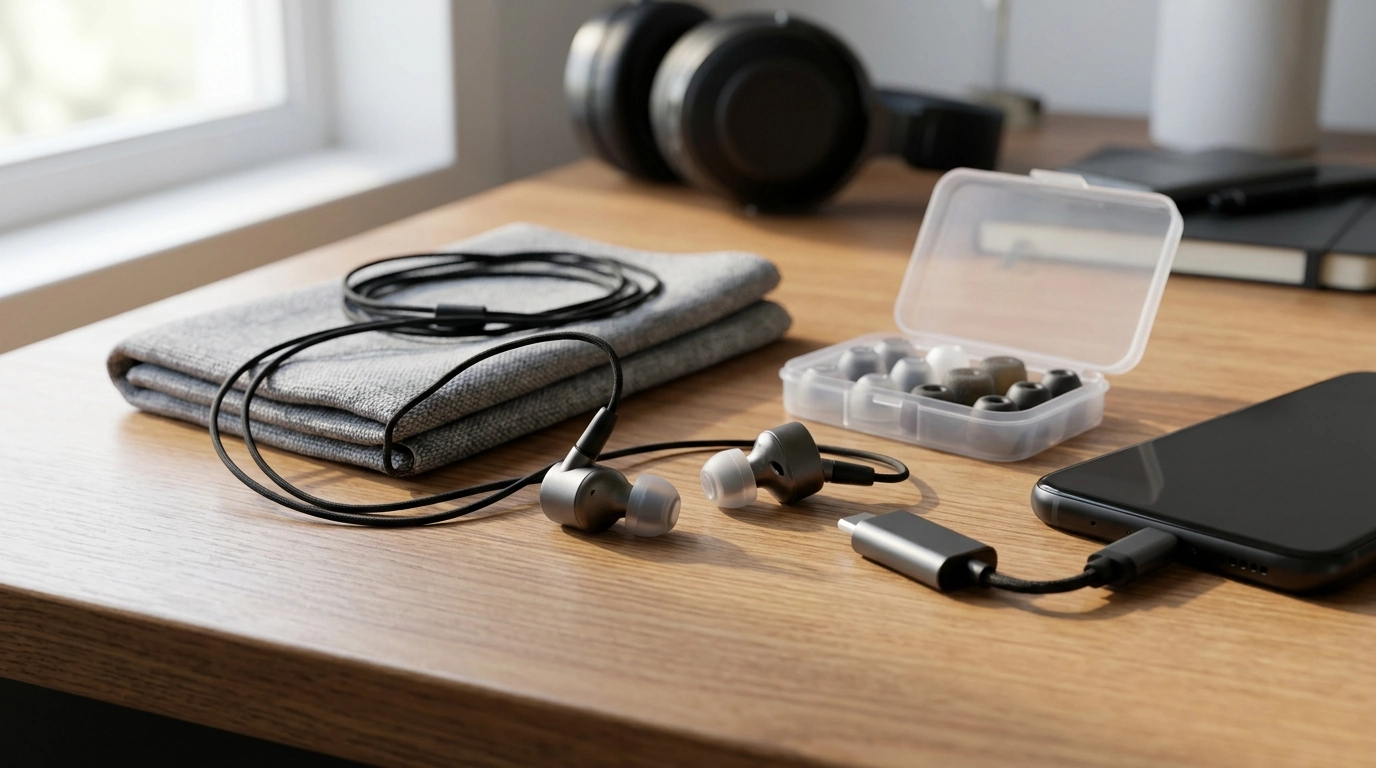
Hi-Res Dynamic Driver Earphones for Detailed, Natural Sound
Hi-res dynamic driver earphones are built for listeners who want a spacious, lifelike presentation with punchy bass texture, clear mids, and smooth treble. The best results come down to a few practical factors—driver tuning, fit and seal, source pairing, and daily usability—so performance in real life matches what you expect at this price level.
What “hi-res” and “dynamic driver” mean in everyday listening
A dynamic driver uses a diaphragm attached to a voice coil to move air. In earphones, that often translates to cohesive transitions from bass through treble and a convincing, “natural” timbre on vocals, drums, and acoustic instruments.
“Hi-res” usually points to extended bandwidth and the ability to reproduce higher-frequency content when paired with capable files and playback gear. It’s worth remembering that “hi-res” does not automatically mean a tuning you’ll personally enjoy. The official logo programs and definitions focus on technical capability, not preference or comfort. For background, see the Japan Audio Society’s Hi-Res AUDIO definition and logo program.
Perceived detail depends on more than file format: tuning choices, distortion control, and (especially) your seal and source quality can change clarity as much as switching from compressed to lossless audio.
Sound profile checkpoints to listen for
Bass: texture, not just quantity
Listen for definition in kick drums and separation between bass guitar notes, rather than simply “more bass.” If the low end sounds weak, don’t assume the driver lacks power—an incomplete seal can erase sub-bass and make the whole signature seem thin.
Mids: present and unforced
Vocals should sit forward enough to feel lifelike without becoming shouty. Overemphasized upper mids can create instant “clarity,” but it often turns into fatigue during longer sessions.
Treble: crisp without grit
Cymbals, strings, and breath in vocals should feel clean and controlled. Sharp peaks can masquerade as extra detail at first, yet become tiring over time—especially at commuter volumes.
Soundstage, imaging, and organization
Well-tuned earphones should keep a stable center image and place instruments consistently left-to-right. Try busy mixes (rock choruses, dense EDM drops, big band jazz) and notice whether the presentation stays organized when everything hits at once.
Dynamics: slam and subtlety
Dynamic drivers are prized for macrodynamics (impact and “slam”) and microdynamics (tiny volume shifts that make acoustic recordings feel alive). On well-recorded live tracks, this is often the difference between “nice” and “immersive.”
Fit, seal, and comfort: the hidden performance factor
Ear tip seal affects bass, tonal balance, and perceived detail more than most first-time buyers expect. A weak seal often sounds bright, thin, and “off,” even if the earphones are tuned well.
- Silicone tips: typically preserve treble energy and a snappy transient feel.
- Foam tips: often smooth treble and can increase perceived bass by improving isolation and seal.
- Insertion depth: shallow fits usually reduce bass and can exaggerate upper mids/treble.
Stability matters too. A secure fit (helped by housing shape and over-ear cable routing) reduces the urge to raise volume in noisy spaces. For commuting, prioritize isolation and security; for desk listening, long-wear comfort can matter more than maximum isolation.
Source pairing: getting the most from phones, dongles, and players
Higher-quality sources (lossless or high-bitrate) can reduce obvious compression artifacts, but tuning and seal still dominate what you hear. Also consider safe listening habits—good isolation can let you lower volume while keeping detail intact. NIOSH offers practical guidance on hearing protection and daily exposure limits: NIOSH — Safe Listening and Noise-Induced Hearing Loss.
Quick pairing checklist
| Scenario | What to check | Practical tip |
|---|---|---|
| Phone only | Adequate volume without distortion | If volume is consistently above ~80%, consider a dongle DAC for cleaner headroom |
| Dongle DAC | Low noise floor and stable connection | Choose a reputable dongle; disable loudness/boost EQ until baseline tuning is known |
| Laptop/desktop | Background hiss and output impedance | If hiss is present, use a dedicated DAC/amp or a quieter USB interface |
| Streaming | App quality settings and normalization | Enable the highest quality tier; turn off normalization when evaluating dynamics |
Durability and daily usability
For those curious about how earphones are evaluated in controlled conditions, measurement rigs are often based on standardized ear simulators; an overview is available via IEC 60318-4 (occluded-ear simulator) publication details.
Who these earphones suit best
Featured option and a good listening companion
If the goal is an immersive, high-detail listen with dynamic impact, consider the Hi-Res Dynamic Driver Earphones. They’re positioned as a premium option for listeners who prioritize clarity, weight, and a spacious presentation when the fit and source are dialed in.
For focused sessions—especially at night or in a quiet room—pair isolation and clarity with guided audio such as Calm Your Mind: Guided Meditation Series. A stable seal helps keep spoken-word guidance clear at lower, more comfortable volumes.
FAQ
Do hi-res earphones make standard streaming sound better?
They can sound clearer with streaming because better tuning, a strong seal, and lower distortion improve perceived detail. Higher-quality streams help, but the earphones’ sound signature and fit usually make the bigger difference.
Will a dongle DAC change the sound with dynamic driver earphones?
It can, mainly by providing a cleaner output, more volume headroom, and a lower noise floor—especially if your phone or laptop output is weak or hissy. The difference varies by device quality and how sensitive the earphones are.
Why do my earphones sound thin with weak bass?
The most common cause is a poor seal from the wrong tip size, shallow insertion, or worn tips. Try a larger tip, foam tips, or re-seating the earphones to lock in the seal before assuming the driver is the problem.













Leave a comment